Once your venue’s schedule is set up, you can add trainers in the Matchable Manager.
First login to the Matchable Manager.
Navigate to ‘Trainers’ on the left-hand menu.
Click ‘Create trainer’ in the top right corner (marked green).
Fill in the required fields: first and last name, email function, trainer category and click Continue to save.
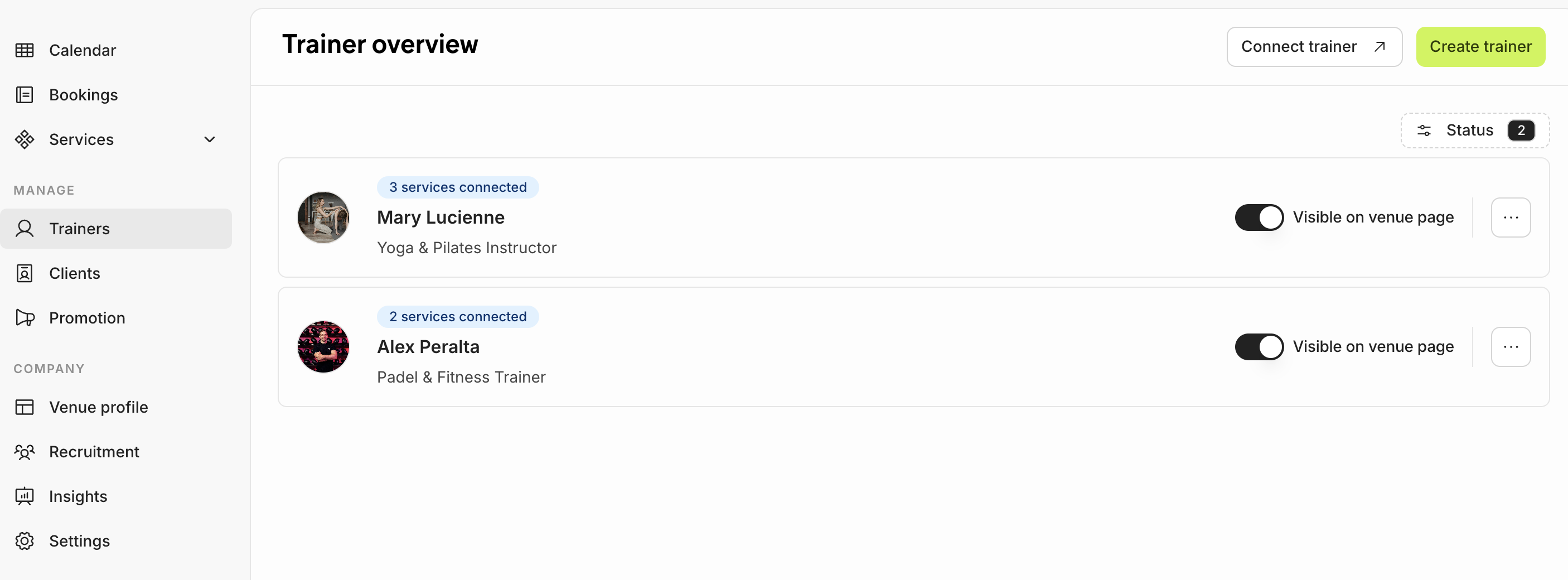
Your trainers will now be live and visible on the venue page.
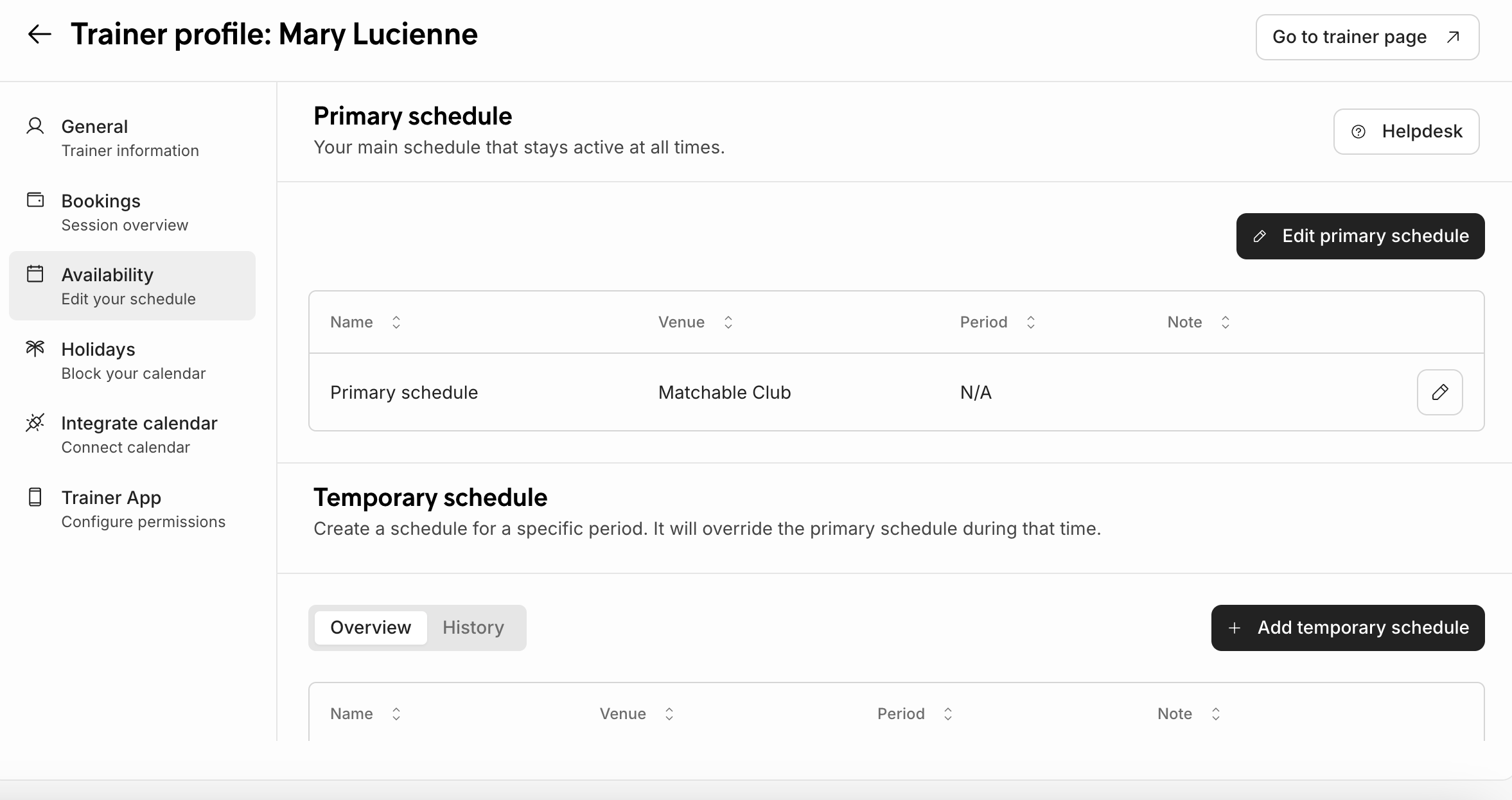
Add the availability and create the schedule of the trainers.
Select Availability from the left menu and click Create schedule.
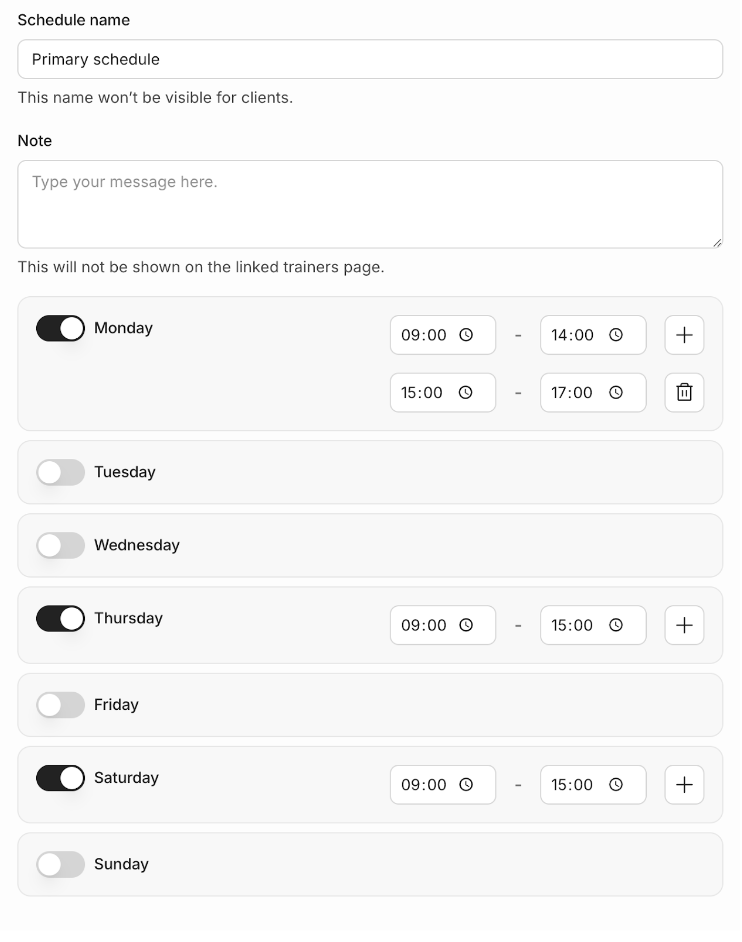
Name your trainer’s schedule. Select the days and hours they’re available for classes. This is what clients will see when they try to book.
Click ‘Save changes’.
Note: Class duration can be added later if needed.