
Jakmile nastavíte své trenéry, můžete začít vytvářet lekce a tréninky. V tomto článku vás provedeme nastavením soukromých tréninků v rozhraní Matchable Manager.
V levém menu přejděte na Služby a vyberte Soukromé tréninky.
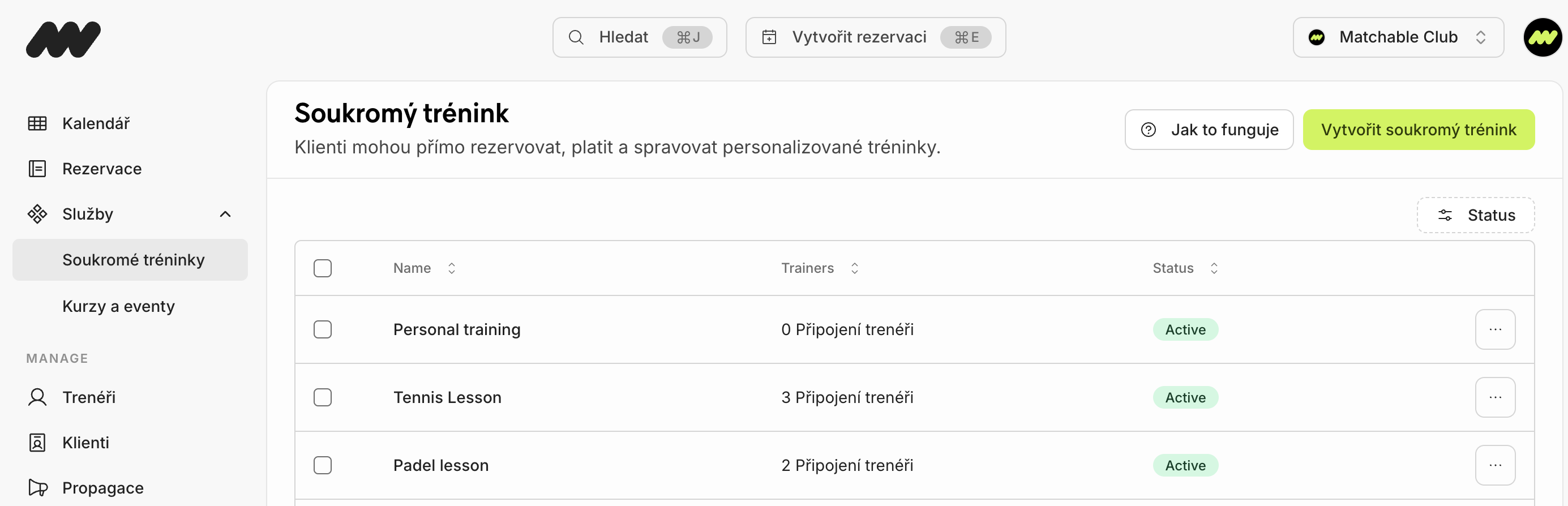
1. Klikněte na zelené tlačítko Vytvořit soukromý trénink.
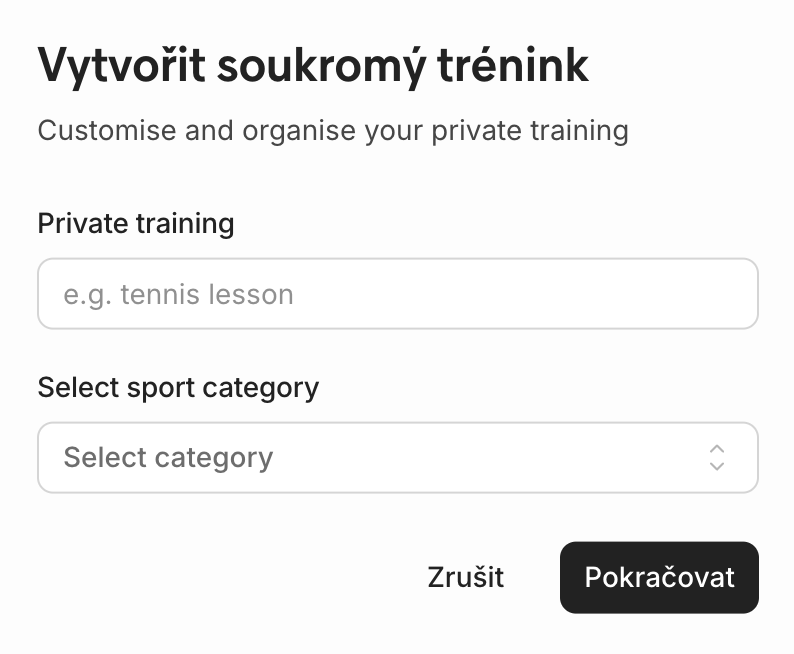
Pojmenujte svůj trénink, vyberte sport, např. padel nebo fitness, a klikněte na Pokračovat pro uložení.
Vlevo najdete nastavení služby, kde můžete vyplnit popis služby vašeho soukromého tréninku.
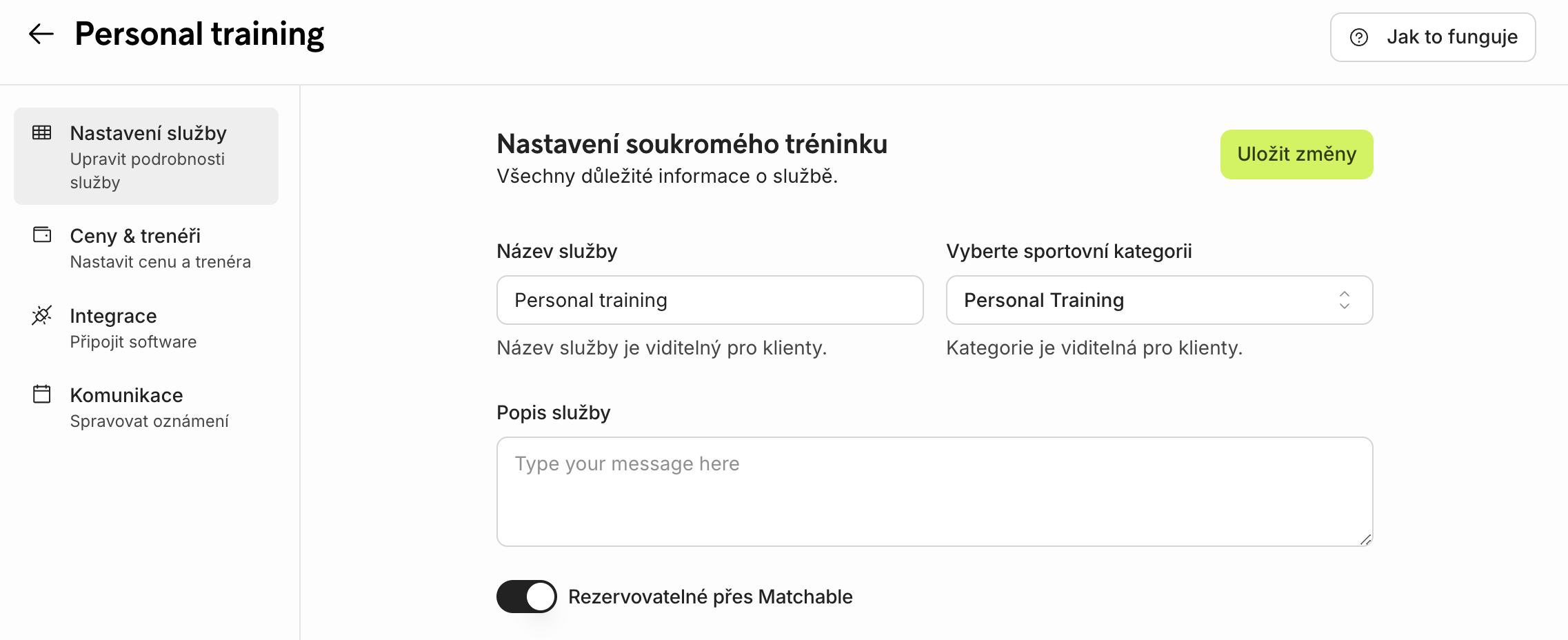
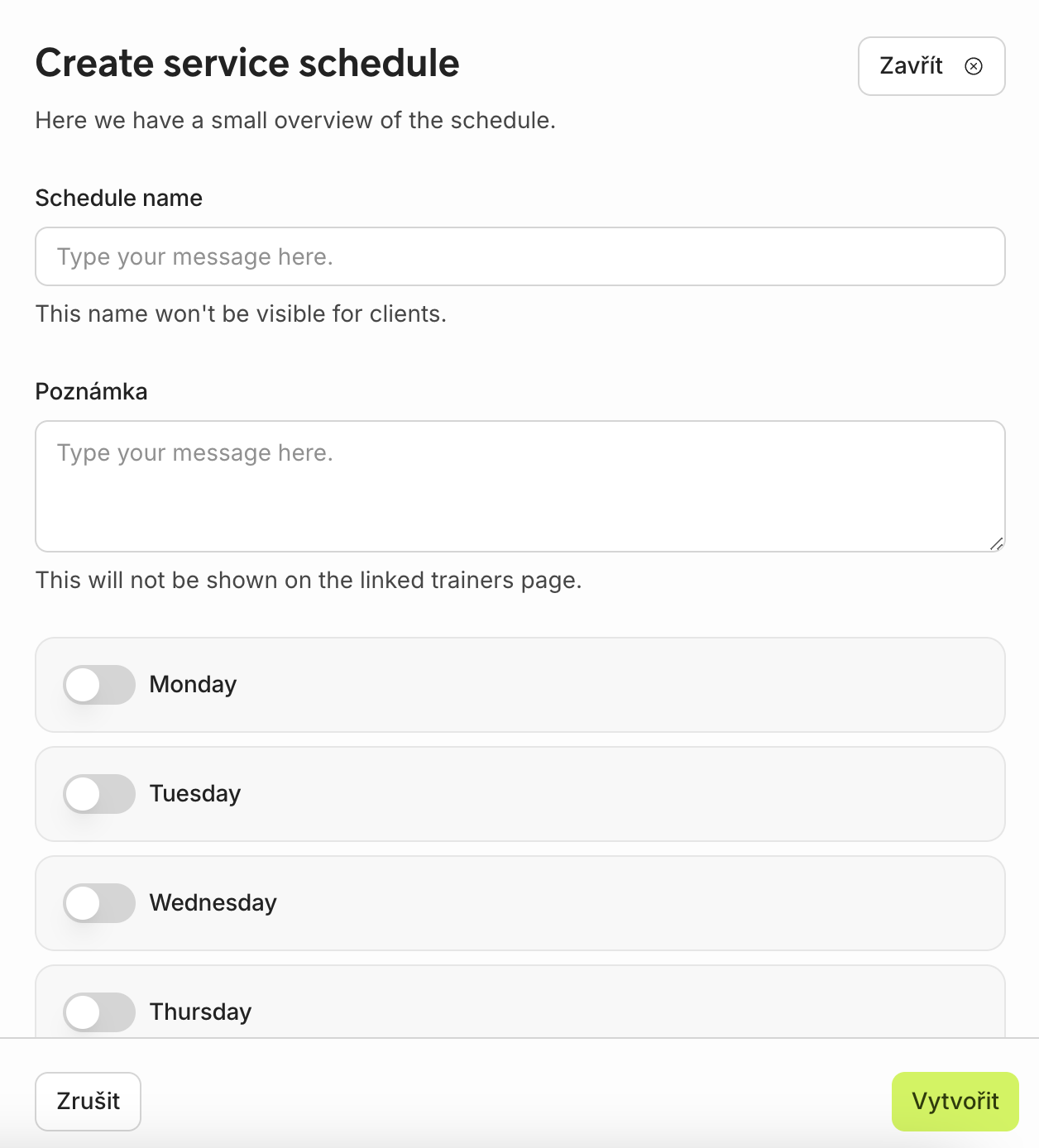
V pokročilém nastavení níže můžete nastavit dostupnost trenéra kliknutím na Vytvořit rozvrh služby. Vyplňte detaily tréninku, den v týdnu a čas.
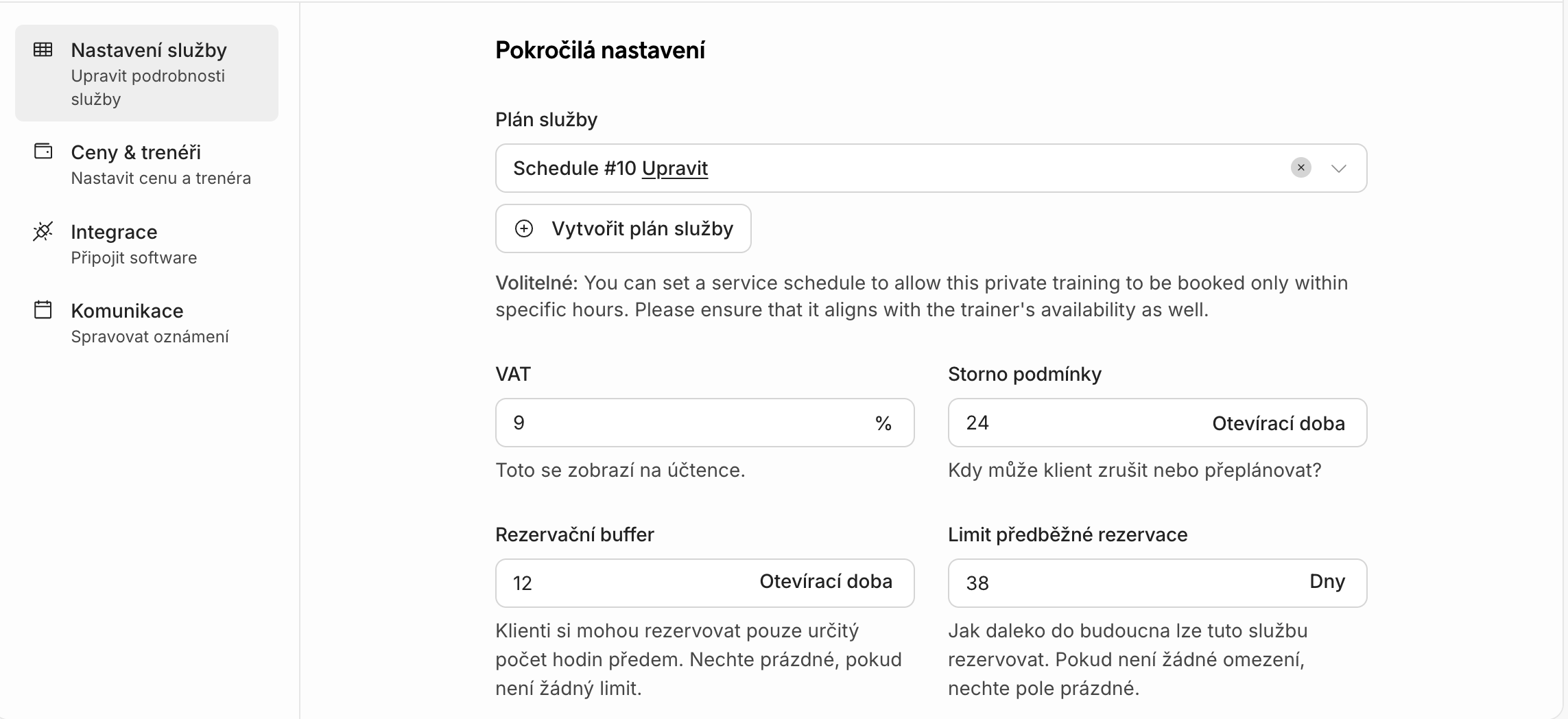
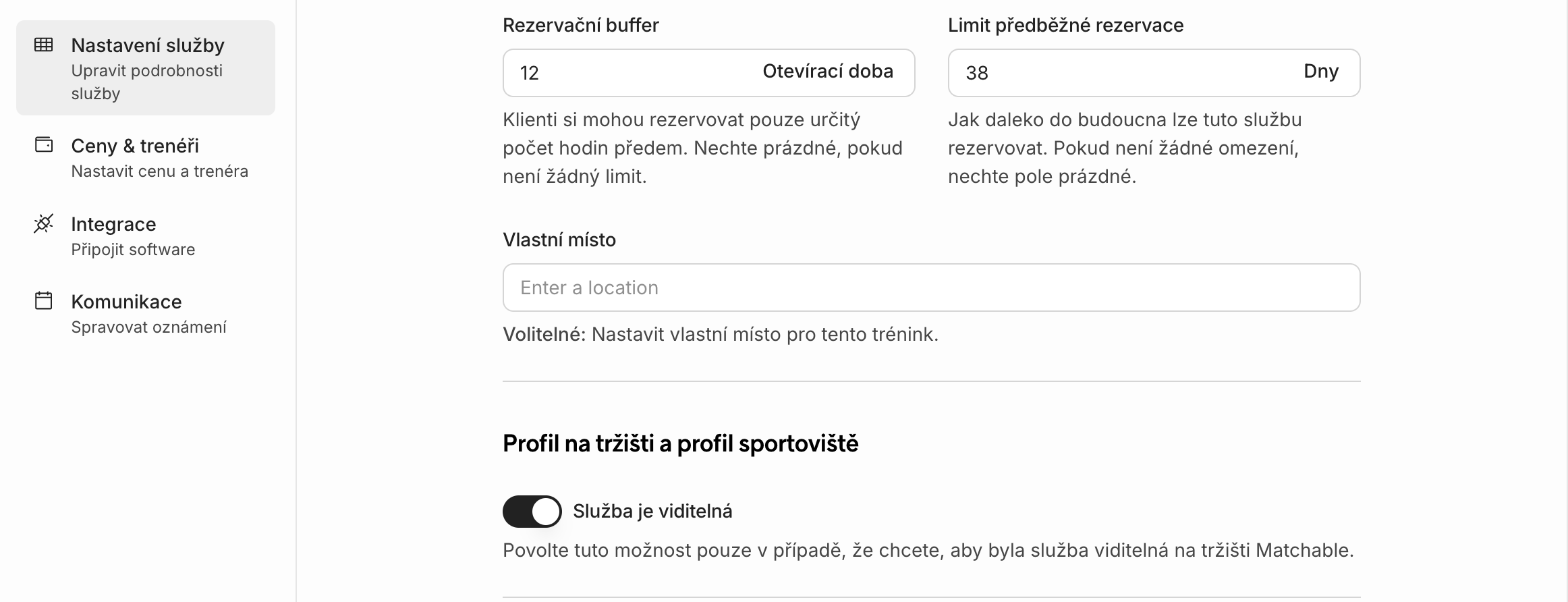
V pokročilém nastavení můžete také doplnit DPH, storno podmínky, časovou rezervu před/po rezervaci a limit pro předběžné rezervace. Zkontrolujte pravidla vašeho sportoviště a vyplňte požadované informace.
Zkontrolujte, zda je služba viditelná/aktivní, pokud chcete, aby si ji klienti mohli rezervovat.
Přidejte ceny k soukromému tréninku
V levém menu přejděte na Ceny & trenéři pro nastavení ceny a výběr trenéra.
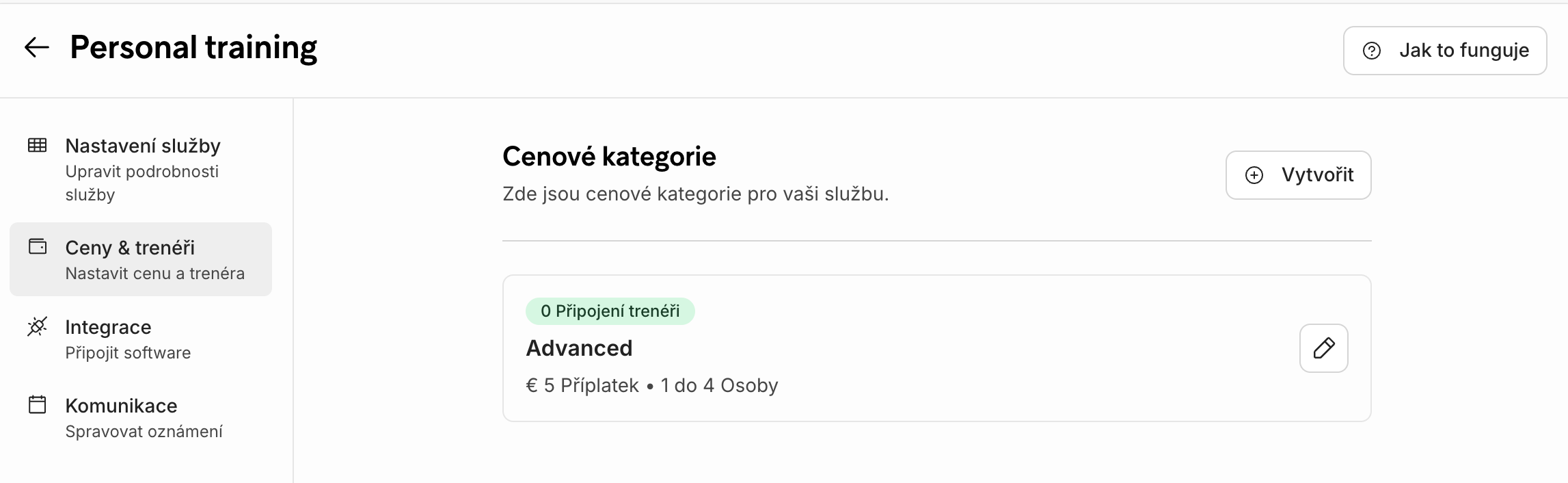
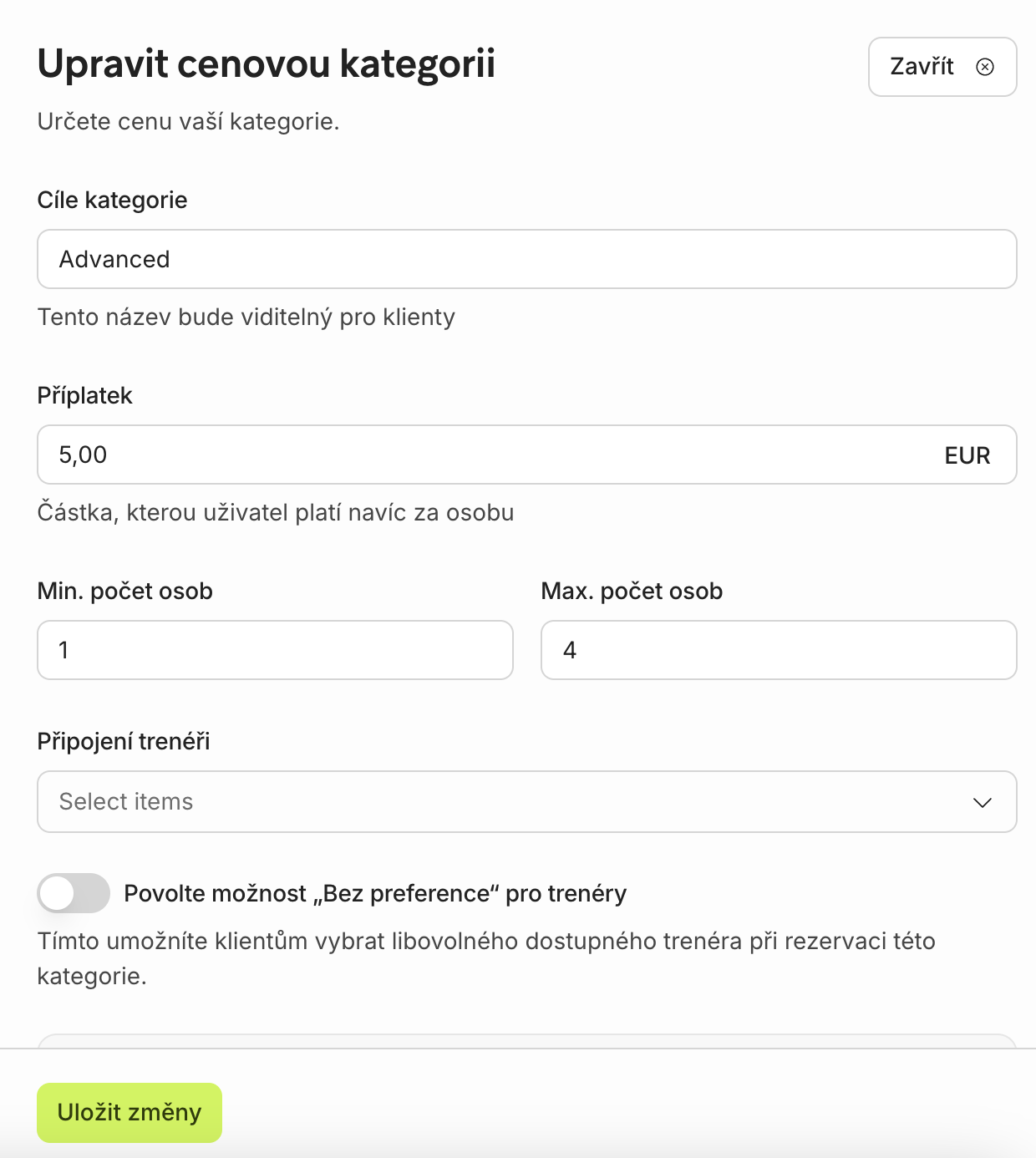
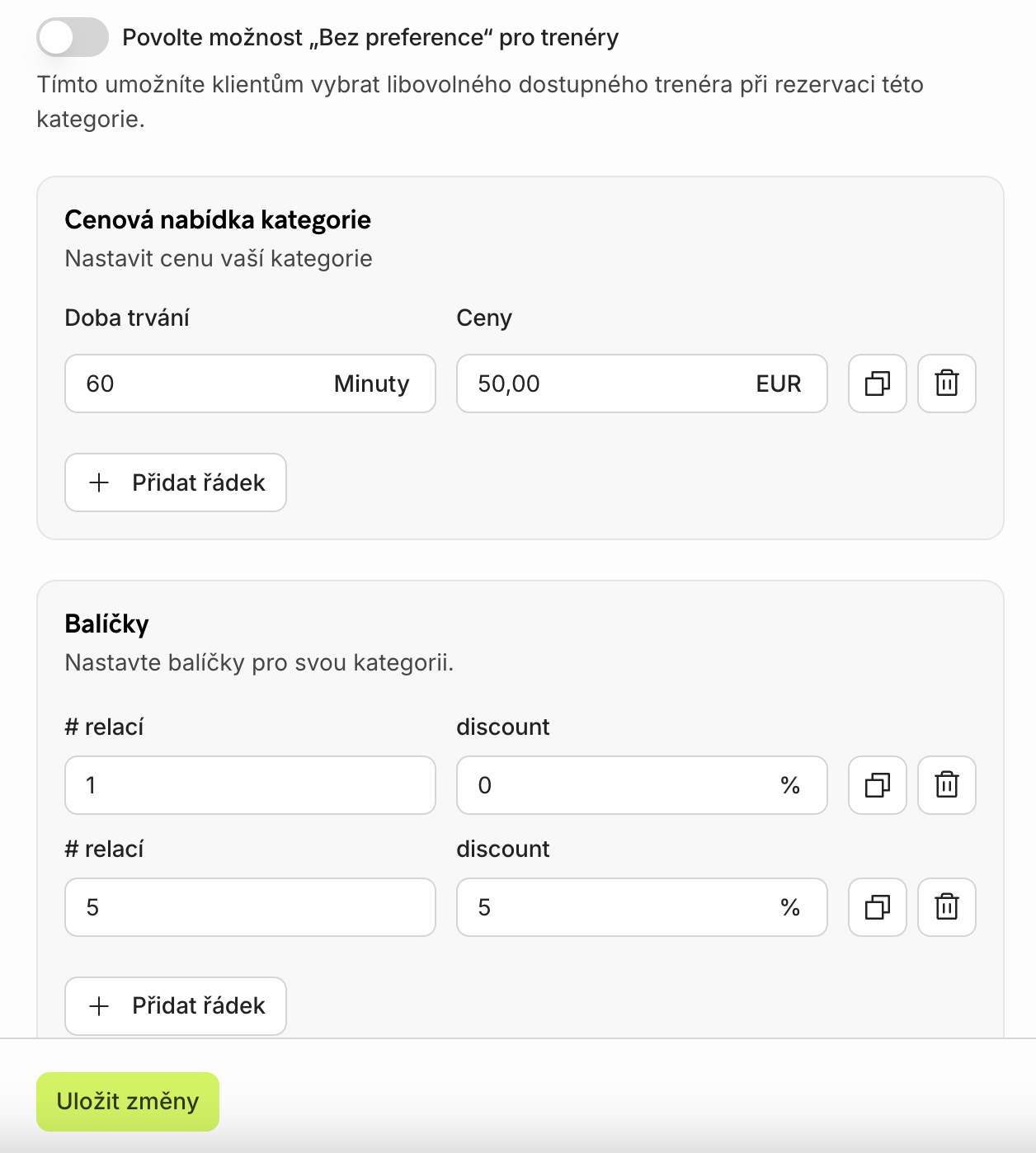
Vyberte Cenové kategorie a klikněte na Vytvořit. Zde nastavíte cenu, počet osob, které si mohou službu rezervovat, trenéra přiřazeného ke službě, délku tréninku, cenu za lekci a případně i balíčky. Klikněte na Vytvořit pro uložení všech informací.
Hotovo? Právě jste vytvořili svůj první soukromý trénink — podívejte se, jak vypadá na tržišti